What is enveigh?
A native macOS secrets vault built for the age of coding agents — agents use your API keys without ever seeing them.
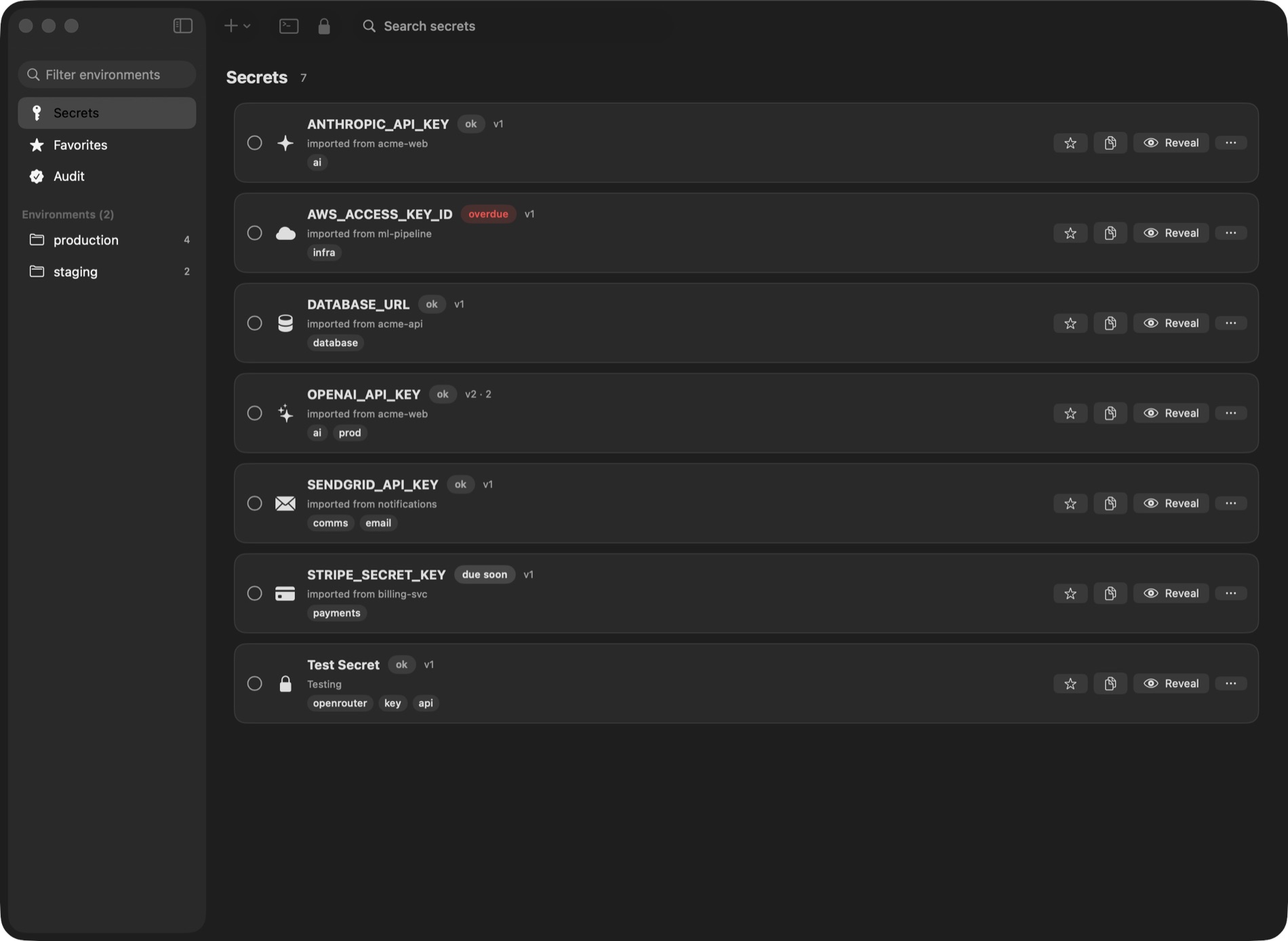
enveigh keeps your API keys, tokens, and connection strings in a local, encrypted vault on
your Mac — and hands them to your tools at runtime, so they never sit in a repo, a .env
file, a shell history, or an AI agent's context window.
The core idea is use, don't see: an agent (Claude Code, Cursor, Codex, …) can run your test suite, your dev server, or your deploy with every secret present as an environment variable — while the values are redacted from everything the agent reads back. The model never receives a plaintext key.
The CLI and your agents — a 37-second walkthrough
Why this exists — in 35 seconds
How the pieces fit
| Piece | What it is | Sees plaintext? |
|---|---|---|
| The app | The vault UI: secrets, environments, rotation, audit log, Touch ID lock | Yes — it is the vault |
| macOS Keychain | Where every secret value actually lives, device-only | — |
| The broker | A local socket the unlocked app exposes, so tools can request values | Yes (it serves them, policy-gated) |
enveigh CLI | Your terminal tool: enveigh run --env prod -- ./deploy.sh | Injects values into your command |
enveigh-mcp | The MCP server agents talk to | No — output is redacted by default |
Three properties hold everywhere:
- Values live in the Keychain, encrypted at rest, and only flow while the app is running and unlocked. Lock the app (or quit it) and every path goes dark.
- Every value access is audited — reveal, render, export, CLI, and agent access all land in a local audit log before the value is released.
- Agents get a working environment, not keys. The default agent tool runs your command with secrets injected and returns output with the values redacted.
Where to go next
- Quickstart — install, import your
.envfiles, connect your agents. - CLI reference — every command, with examples.
- MCP server — the agent tools, per-client scoping, and the reveal opt-in.
- Security model — exactly what protects what, and from whom.